ThinkSystem SR850 V4/SR860 V4 8x2.5" AnyBay Backplane Option Kit
See this document for information about the ThinkSystem SR850 V4/SR860 V4 8x2.5" AnyBay Backplane Option Kit.
This option kit comes with the following components.
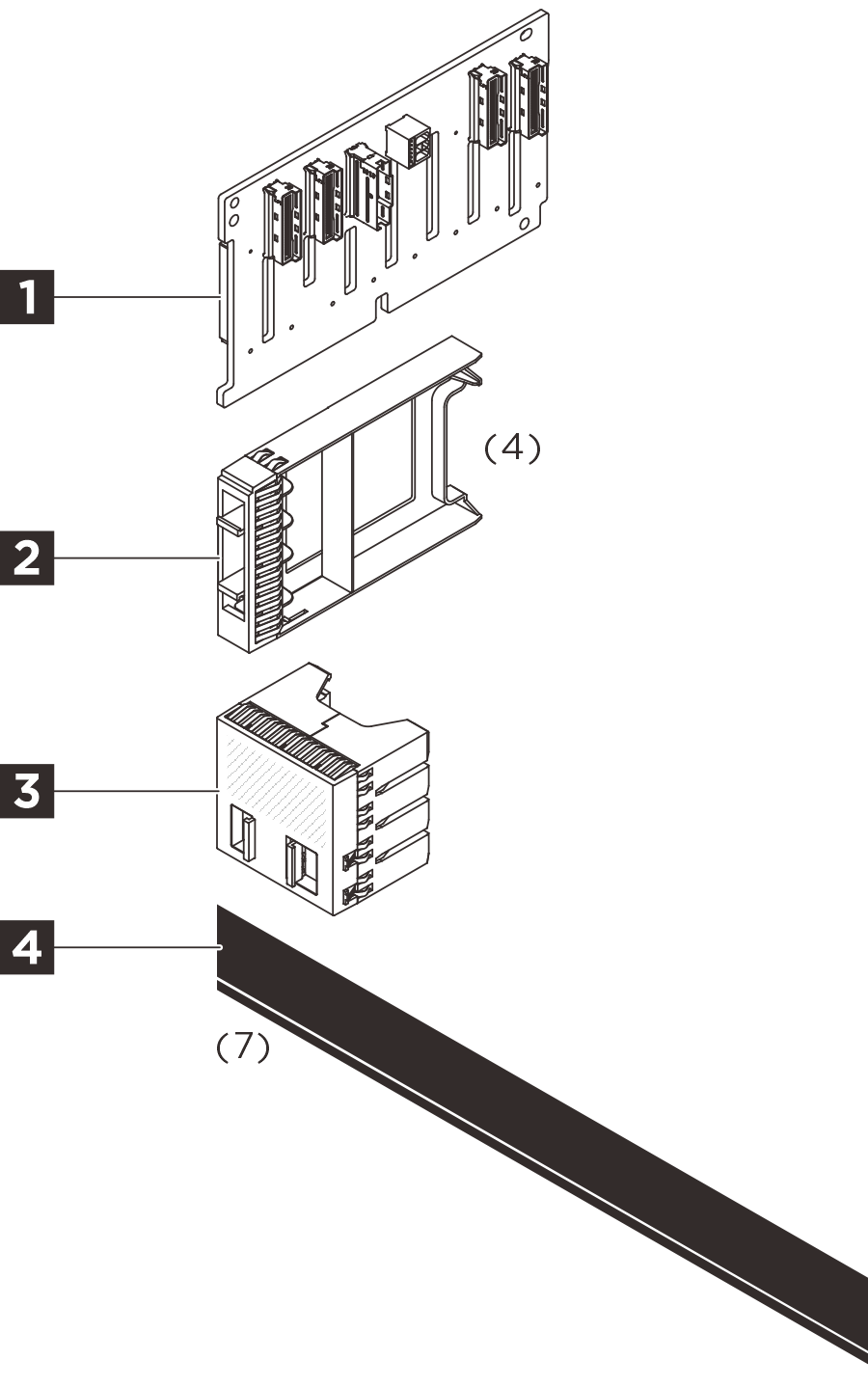
1 One 8x2.5" AnyBay front backplane
2 Four 1-bay 2.5" drive fillers
3 One 4-bay 2.5" drive filler
4 Drive sequence/type labels
- One AnyBay label (SR860 V4)
- One 24x2.5" AnyBay drive type label 1 (SR850 V4)
- One 24x2.5" AnyBay drive type label 2 (SR850 V4)
- One SAS/SATA front drive sequence (16-23) label (SR850 V4)
- One NVMe label (SR860 V4)
- One 24x2.5" NVMe drive type label 1 (SR850 V4)
- One 24x2.5" NVMe drive type label 2 (SR850 V4)
NOTE
The illustration in this document might differ slightly from your hardware.
Option installation
-
To install the option, refer to
Server model Hardware installation SR860 V4 Install a 2.5-inch drive backplane SR850 V4 Install a 2.5-inch drive backplane -
For the latest technical information including firmware and driver downloads, go to Lenovo Data Center Support.

| Option installation | |
|---|---|
| To install the option, refer to “Hardware replacement procedures” in the server User Guide, which is available at Lenovo Docs https://pubs.lenovo.com. | |
| For the latest technical information including firmware and driver downloads, go to Lenovo Data Center Support website https://datacentersupport.lenovo.com. | |
First Edition (May 2021)
© Copyright Lenovo 2021.
LIMITED AND RESTRICTED RIGHTS NOTICE: If data or software is delivered pursuant to a General Services Administration (GSA) contract, use, reproduction, or disclosure is subject to restrictions set forth in Contract No. GS-35F-05925
Give documentation feedback