ThinkSystem SR650/a V4 Riser Cage for Riser 2 or 3 w/ 3x PCIe Slots installation
Consultez ce document pour en savoir plus sur le ThinkSystem SR650/a V4 Riser Cage for Riser 2 or 3 w/ 3x PCIe Slots installation.
Le kit d’options est fourni avec le composant suivant.
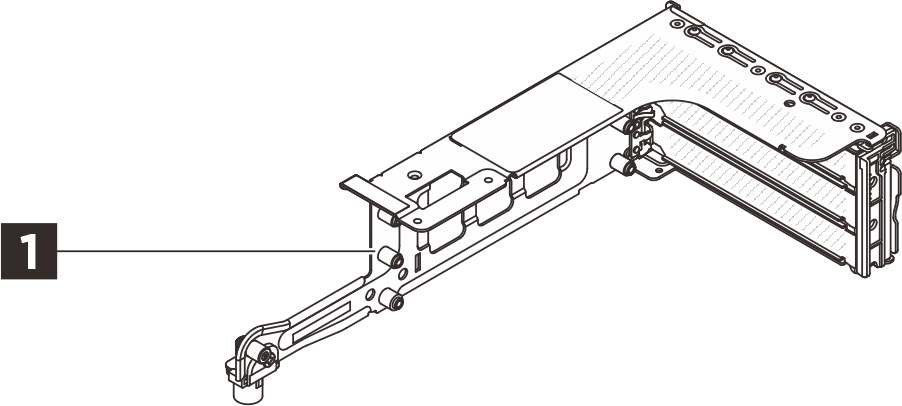
1 Un boîtier de carte mezzanine 3FH
REMARQUE
- Il se peut que les figures contenues dans le présent document ne correspondent pas exactement à votre configuration matérielle.
Installation des options
- Pour installer l’option, reportez-vous au guide d’utilisation applicable :
| Modèle de serveur | Installation du matériel |
|---|---|
| SR650 V4 | Remplacement de l'assemblage de cartes mezzanines et de l'adaptateur PCIe arrière |
| SR650a V4 | Remplacement de l'assemblage de cartes mezzanines et de l'adaptateur PCIe arrière |
- Pour obtenir les dernières informations techniques, notamment les téléchargements de microprogramme et de pilote, accédez à l'assistance centre de données Lenovo.

| Option installation | |
|---|---|
| To install the option, refer to “Hardware replacement procedures” in the server User Guide, which is available at Lenovo Docs https://pubs.lenovo.com. | |
| For the latest technical information including firmware and driver downloads, go to Lenovo Data Center Support website https://datacentersupport.lenovo.com. | |
First Edition (May 2021)
© Copyright Lenovo 2021.
LIMITED AND RESTRICTED RIGHTS NOTICE: If data or software is delivered pursuant to a General Services Administration (GSA) contract, use, reproduction, or disclosure is subject to restrictions set forth in Contract No. GS-35F-05925
Envoyer des commentaires